In today’s digital world, creating an impactful presentation is an essential skill. Fortunately, it needn’t consume hours of your time. AI-powered tools such as Beautiful.ai, Slides AI, and SketchBubble’s own AI-powered presentation tool – SketchBubble AI — are revolutionizing how presentations are created.
These platforms streamline the design process with intuitive automation, smart layouts, and content generation features that help you craft compelling, professional slides in minutes.
In this article, we provide a detailed comparison of Beautiful.ai and Slides AI – and also take a quick look at how SketchBubble AI stacks up – so you can decide which tool best suits your presentation needs.
Before diving into the detailed comparison, let’s take a quick look at three leading AI-powered presentation tools – Beautiful.ai, Slides AI, and SketchBubble AI – that are transforming how professionals create and design presentations.
Each of these platforms leverages artificial intelligence to simplify the slide creation process but approaches it in a slightly different way. Beautiful.ai focuses on intelligent design automation, helping users maintain visual consistency through smart layouts that adapt in real time. Slides AI emphasizes content generation, allowing users to turn written text into polished slides within seconds.
SketchBubble AI takes a more holistic approach by combining intelligent slide structuring with context-aware design suggestions. It assists users in organizing ideas clearly, ensuring that every slide aligns with the message and flow of the presentation.
Together, these tools reflect the growing role of AI in making presentation design faster, smarter, and more intuitive – enabling anyone to craft professional-quality decks with minimal effort.
An Introduction
Beautiful.ai – A Generative AI Presentation Software
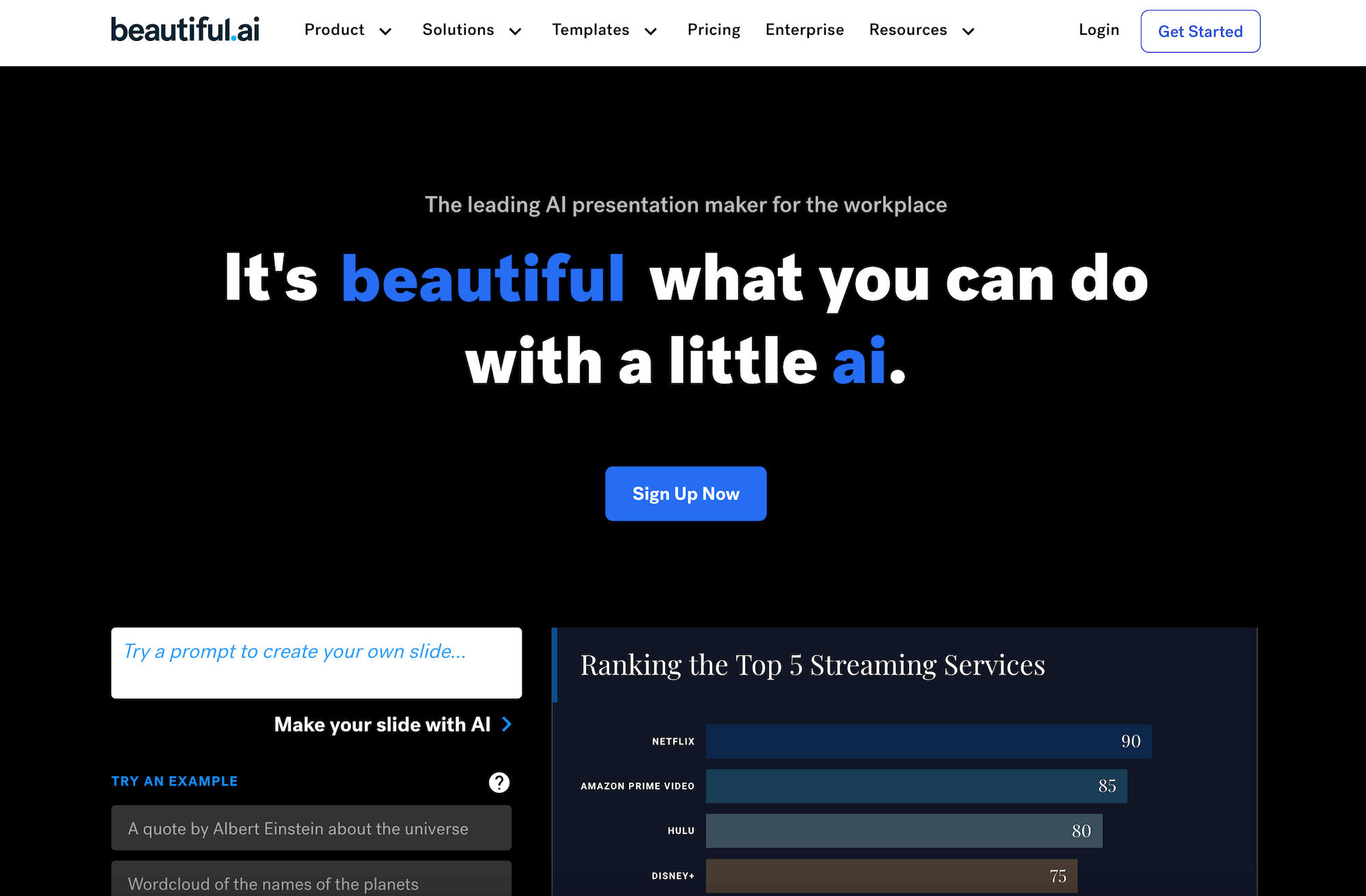
Beautiful.ai is a generative AI presentation software designed to simplify and enhance the process of creating visually compelling slides.
One of its standout features is its AI-driven smart templates, which automatically adjust design elements like layout, spacing, and alignment, ensuring a polished and professional look without requiring design expertise.
Since its launch, Beautiful.ai has evolved significantly, leveraging AI advancements to improve automation and customization capabilities.
Early versions focused primarily on template-driven design automation, but recent updates have introduced more adaptive AI features, such as predictive slide suggestions and enhanced customization options.
The software now provides data visualization tools that intelligently format charts and graphs, ensuring clarity and impact.
With continuous innovation, Beautiful.ai has positioned itself as a leader in AI-powered presentation design, catering to professionals who seek efficiency without compromising on aesthetics.
Slides AI – An AI-Powered Text-to-Presentation Tool
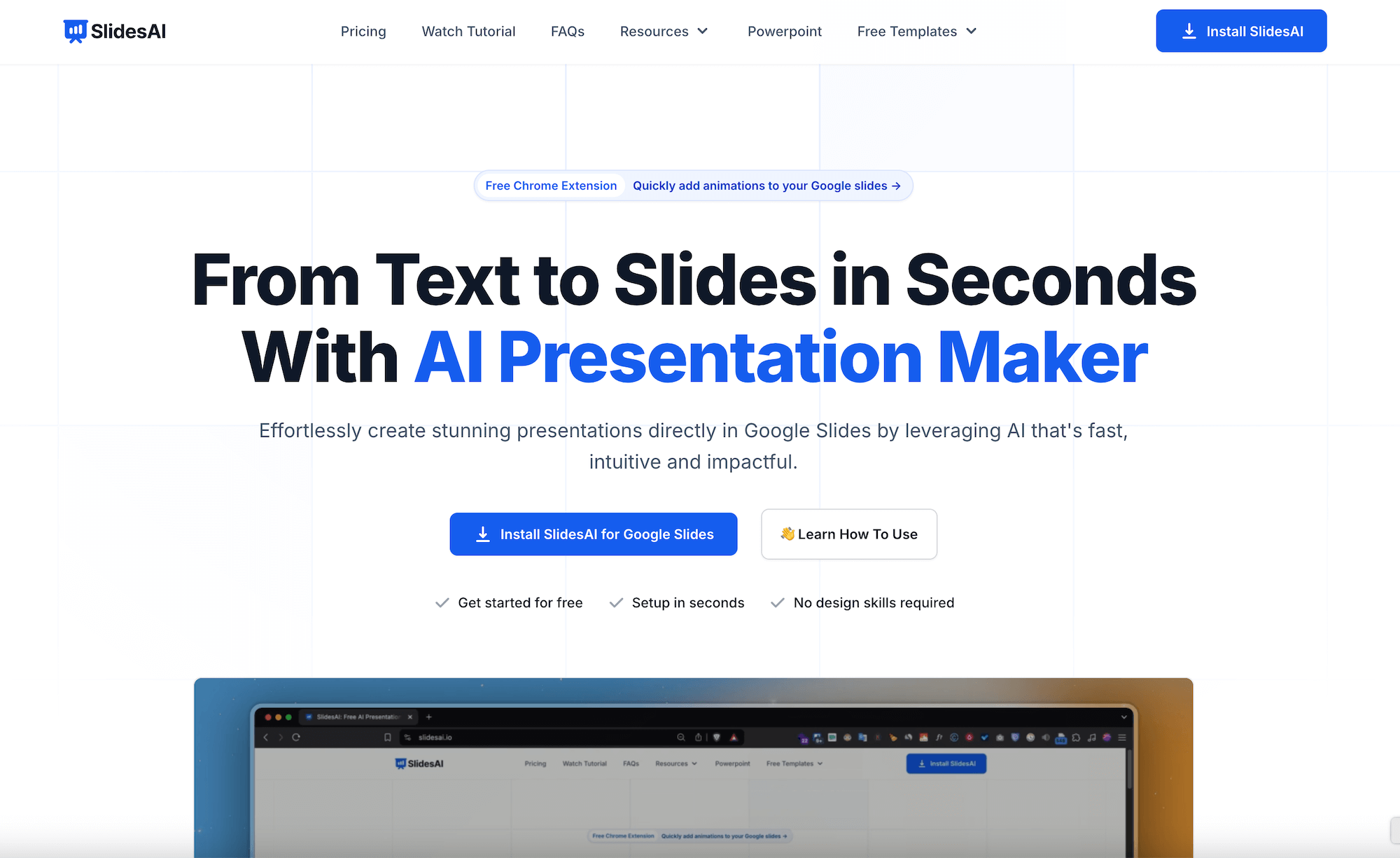
Slides AI is an AI-powered tool that transforms text into professional slides within seconds, streamlining the process of presentation creation for users of all skill levels.
One of its key features is its NLP (Natural Language Processing) capabilities, which lets users input text prompts and generate well-structured, visually appealing slides automatically. It offers seamless integration with Google Slides and PowerPoint, ensuring flexibility across different platforms.
Since its inception, Slides AI has evolved to offer more intuitive and user-friendly features. Initially focused on basic text-to-slide conversion, it has expanded to include enhanced AI-powered design recommendations, theme adaptability, and automated image and icon suggestions to enrich presentations.
Recent updates have also improved its ability to analyze content contextually, generating slides that align with the intended tone and purpose.
Factors to Consider While Choosing Between Beautiful.ai and Slides AI
- Collaboration
Collaboration is an important factor to consider. Does the platform allow you to collaborate with teams and coworkers in real-time? Does it support live comments, editing, and version control?
- AI Quality
AI-powered assistance can significantly impact your presentation. It can either enhance or degrade the quality of your slides. Thus, consider factors such as ease of design with AI, speed of integration, amount of manual efforts required, and quality of automated visuals.
- Customization
Customization is key to ensuring a successful and impactful presentation. Analyze whether the platforms allow you to tailor the slides fully according to your needs. If customization is restricted, you may find it difficult to craft creative slides.
- Compatibility
Your platform should be compatible with other workflow software. If you have a huge team and rely on an integrated workflow system, compatibility will be a crucial factor for you. Ensure your design platform can easily work well with other existing systems.
- Pricing
Pricing is ultimately a key concern. While larger organizations and teams may afford higher subscription models, smaller ones might prefer something that fits within their budget. Thus, comparing the pricing and picking a platform that does not burn your pocket is essential.
Beautiful.ai vs. Slides AI – In-Depth Comparison
1. Collaboration
Slides AI
Slides AI integrates seamlessly with Google Slides, allowing real-time collaboration within Google Workspace. Since Google Slides is widely used for team projects, Slides AI inherits its collaborative strengths. It allows multi-user editing, commenting, and version history tracking. This makes it ideal for those looking for a wider and more seamless working system.
Beautiful.ai
Beautiful.ai is a standalone platform and does not offer collaboration with other software such as Google. However, it allows you to work together on the presentation on its own platform. Thus, those who work frequently with broader workflow systems may find it less seamless.
2. AI Quality
Slides AI
Slides AI focuses more on generating AI-powered text. It helps users create more structured and well-phrased points and notes for their slides, making it a better bet for those seeking help in content creation. However, it does not offer AI design options, leaving users with no choice but to manually adjust and format their slides.
Beautiful.ai
Beautiful.ai is known for its intuitive design creation. It uses AI to adjust slide formats and create compelling designs, eliminating the need for much manual work. It is an excellent platform if your focus is more on aesthetics, design consistency, and professional-looking slides without manual formatting.
3. Customization
Slides AI
Slides AI is an add-on for Google Slides and allows complete control over the design. Users can adjust fonts, colors, layouts, and themes manually. It is a great pick for those who work within strict brand guidelines and require complete control over the creative process.
Beautiful.ai
Beautiful.ai also offers various customization options. Users can tweak the design and colors according to their preferences. It provides the freedom to tailor the themes and add personalization to slides.
4. Compatibility
Slides AI
Slides AI allows seamless integration with Google Workspace and makes it easy for those who regularly use Google Sheets, Docs, and other systems for work. It allows accessibility across multiple devices without the need to install secondary applications.
Beautiful.ai
Beautiful.ai does not natively fit into Google Workspace or PowerPoint. You can export the presentation to various formats, such as PDF, but collaboration with users outside of its ecosystem may be challenging.
5. Pricing
Slides AI
Slides AI offers budget-friendly pricing. It has a free plan for up to three presentations per month. The pro package starts at $10/month and premium at $20/month, with unlimited presentations. This makes it a cost-effective option for those who need AI-powered content without investing in a new ecosystem altogether.
Beautiful.ai
The pro plan for Beautiful.ai starts at $12/month for individuals. For teams, it is priced at $40/month per user. It might be relatively expensive for individuals or small business owners.
How to use Beautiful.ai and Slides AI?
Steps to Use Beautiful.ai
Step 1 – Sign up. Beautiful.ai offers a 14-day trial. You are required to furnish your credit card details when signing up for a free trial. After the end of the free trial duration, the subscription amount will automatically be deducted from your card. So, don’t forget to cancel if you don’t want to continue after the trial period.
Step 2 – Setting up. It won’t take much time. In this step, you get an overview of the Beautiful.ai’s features. You will notice that the presentation creation process tool with this tool is entirely different from traditional presentation tools.
Step 3 – Create a presentation.
- For this, go to Create Presentation > Designer Bot AI.
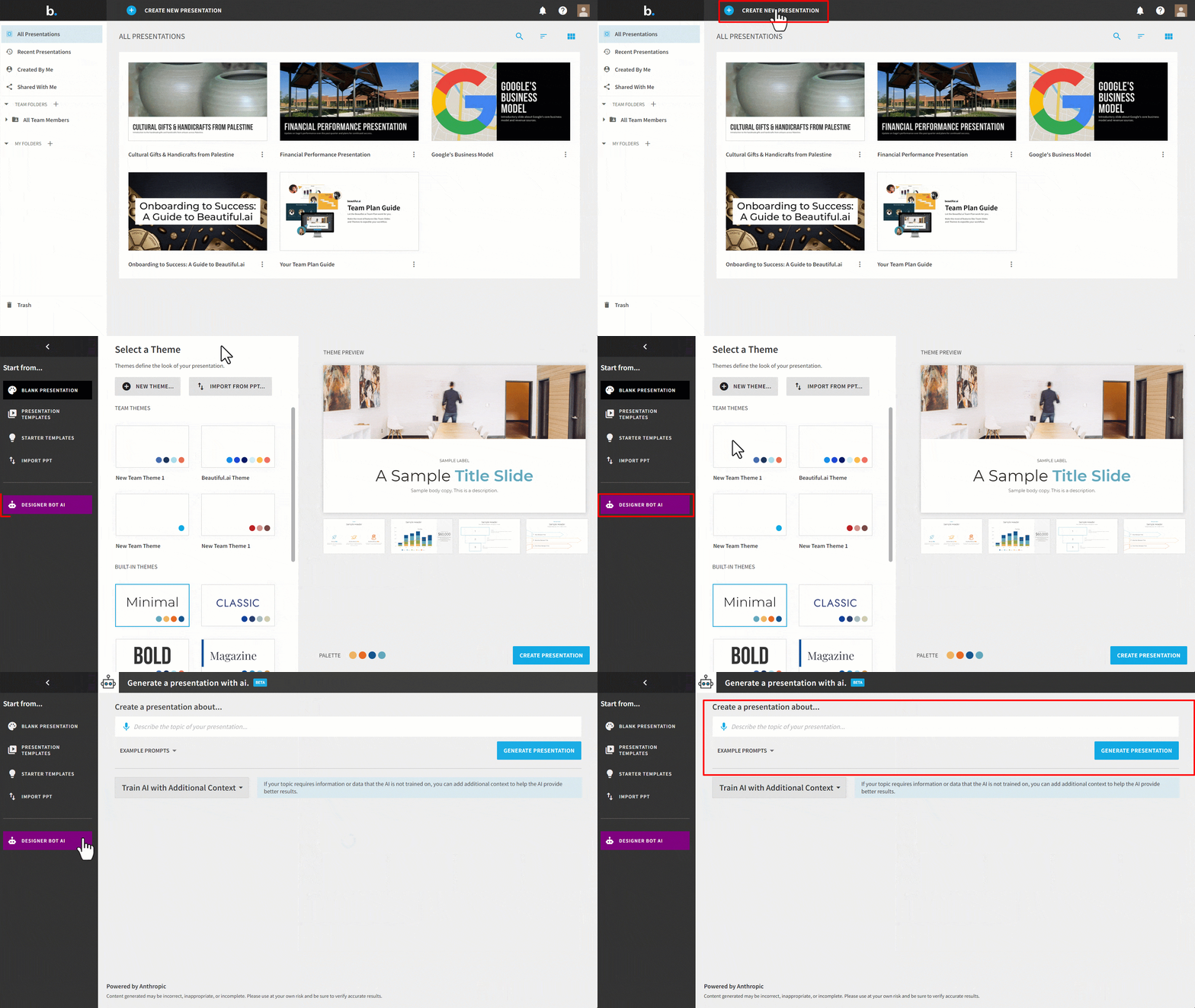
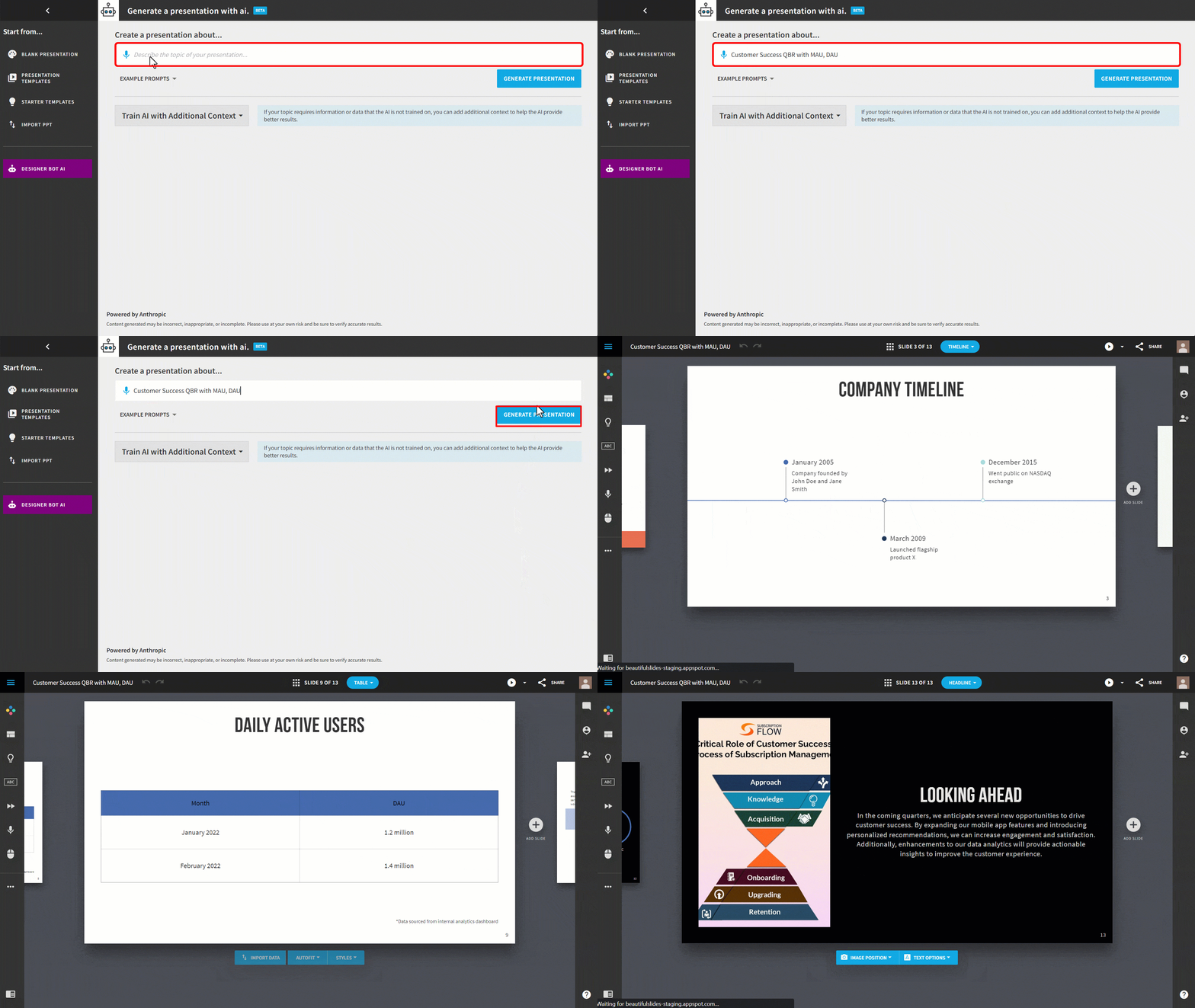
- Enter the presentation description in the space provided in the ‘Create a presentation about…’ section. Then click Generate Presentation. Your presentation will be generated in a few minutes.
Step 4 – Add additional contextual information alongside your prompt. You can upload a PDF or DOC file, link a webpage, or simply add additional text.
For this, click Train AI with Additional Context under Create a presentation about…
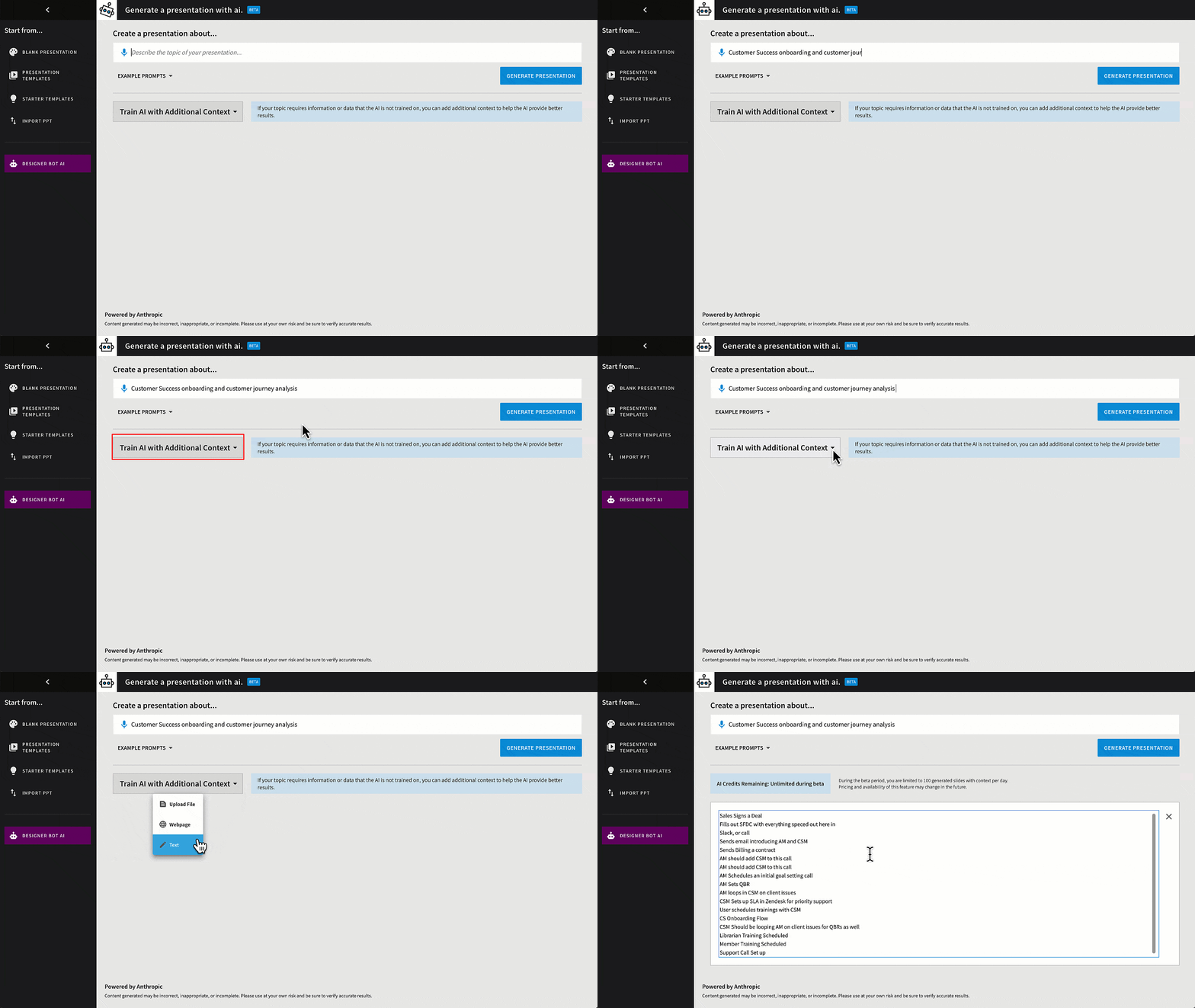
Provide contextual information and click Generate Presentation.
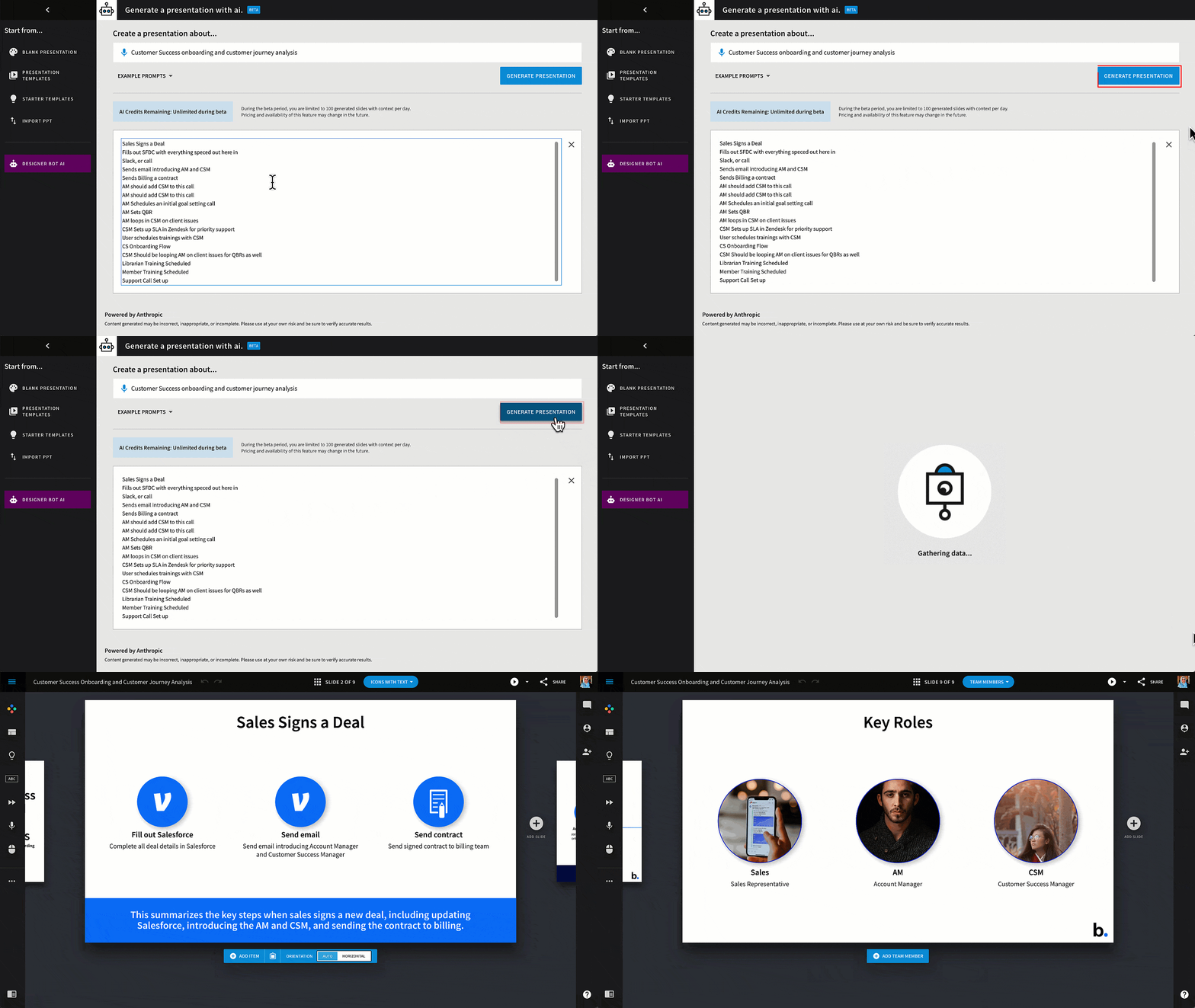
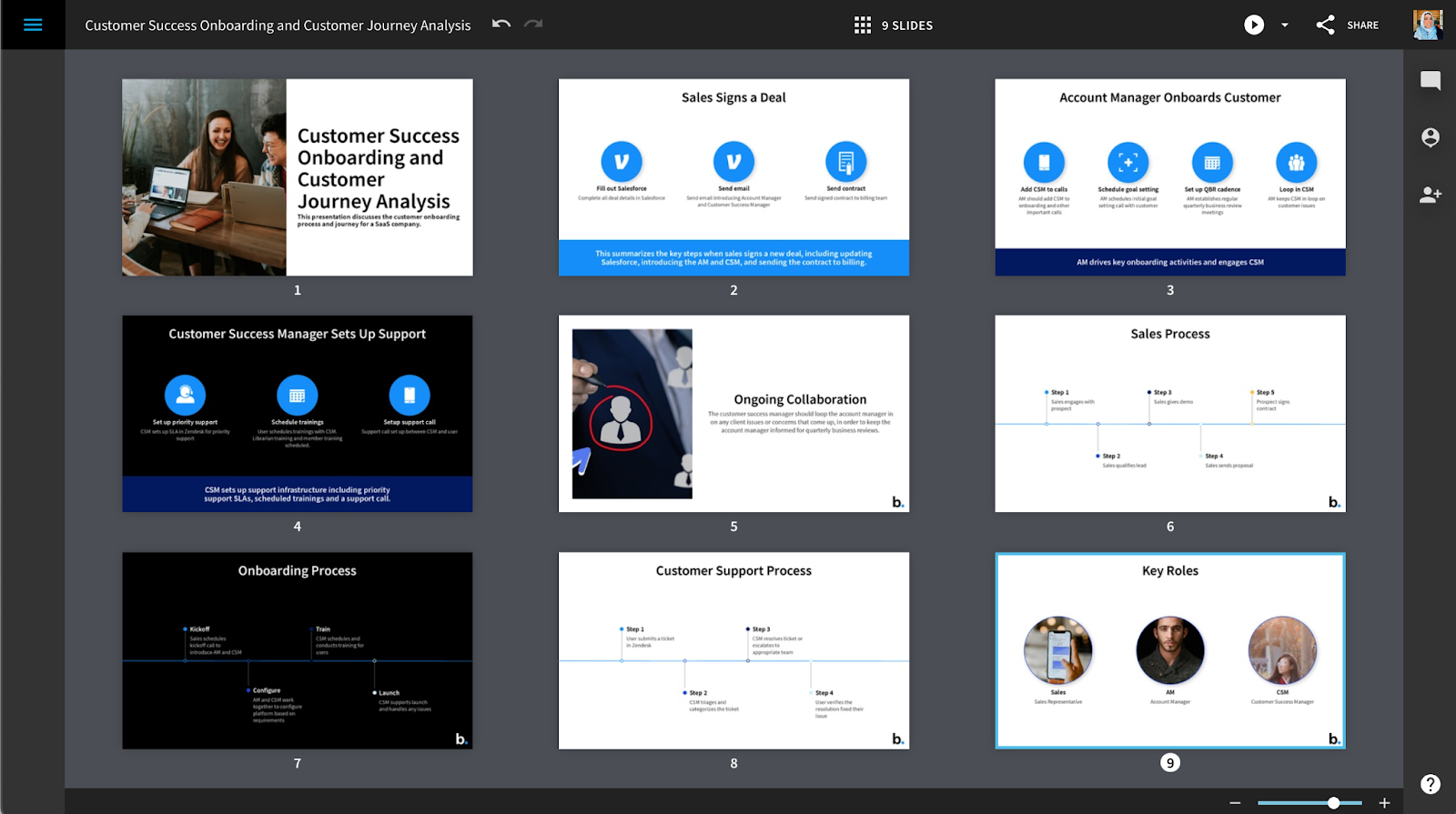
The presentation creation time depends on the amount and complexity of the information you have provided. Usually, the Designer Bot AI generates a presentation of 8-12 slides regardless of the amount of context added.
Steps to Use Slides AI
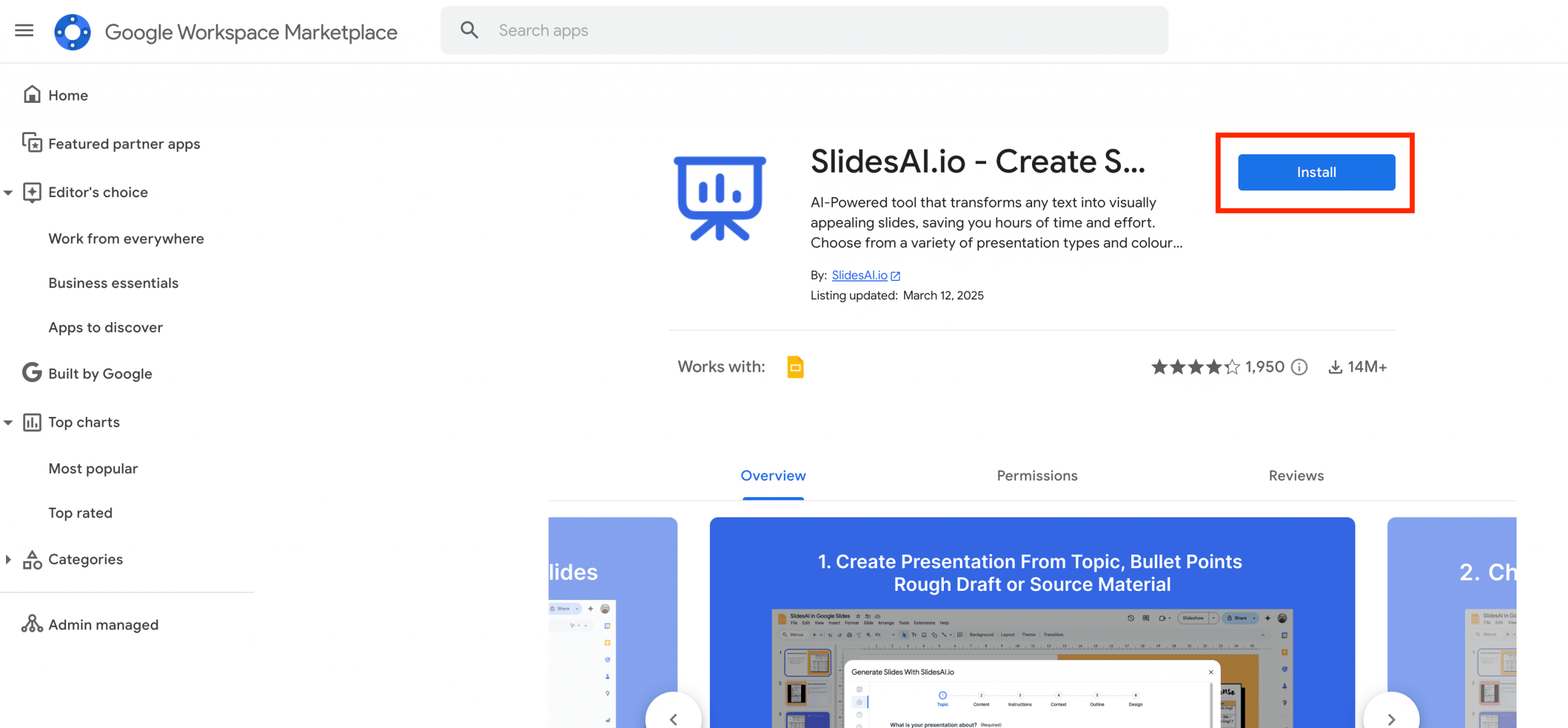
Step 1 – From Google Workspace Marketplace, install the Slides AI extension on Google Slides.
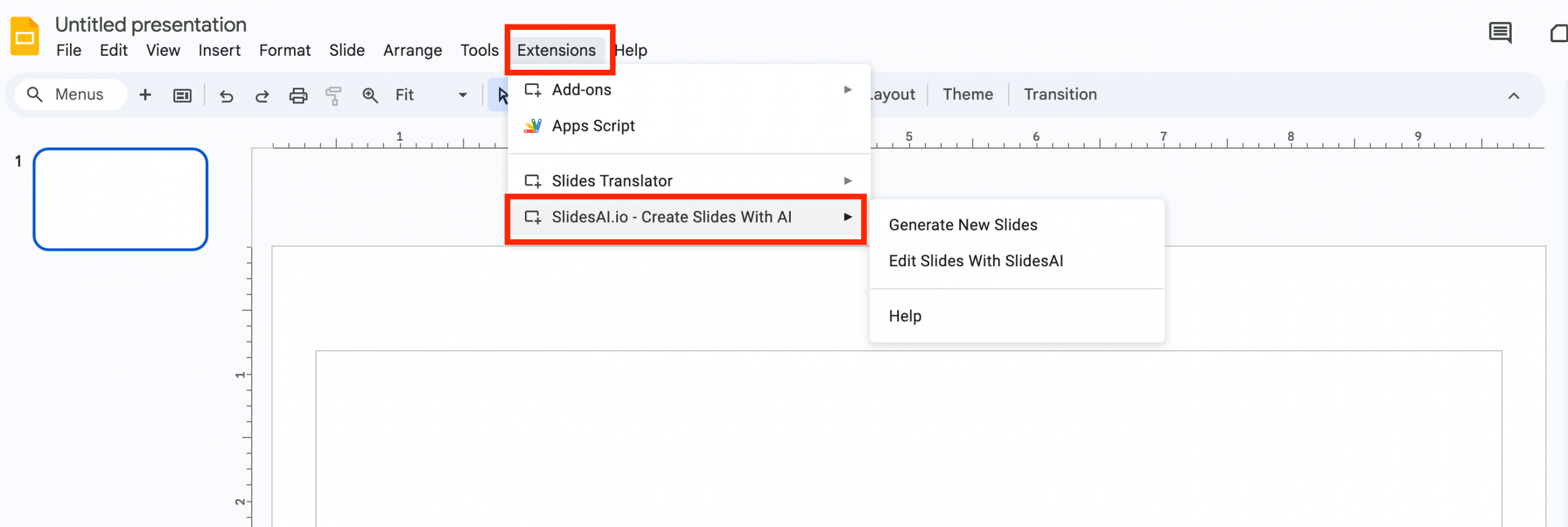
Step 2 – Choose whether you want to edit an existing presentation or generate new slides.
Step 3 – Enter the presentation description and click Continue.
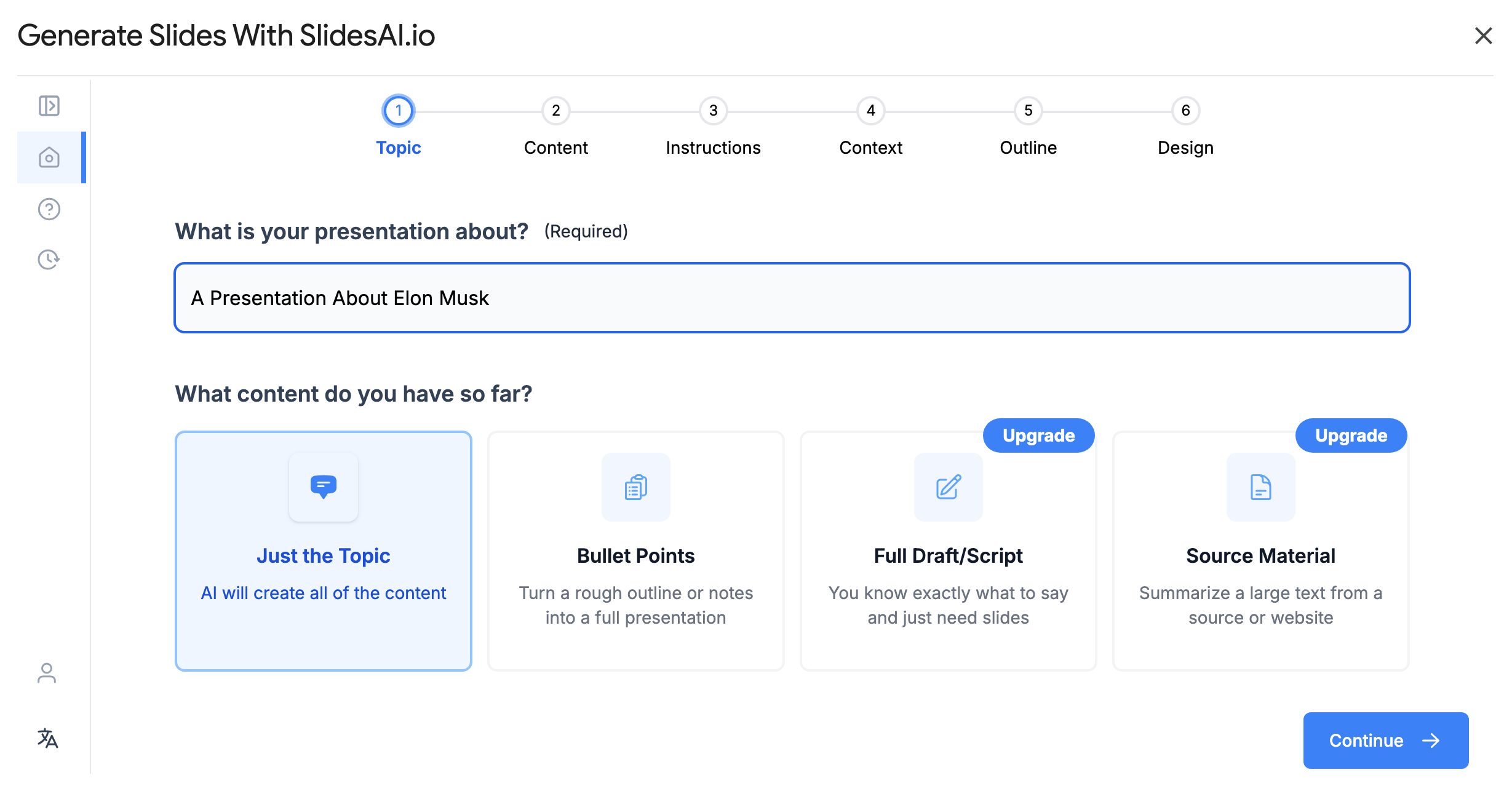
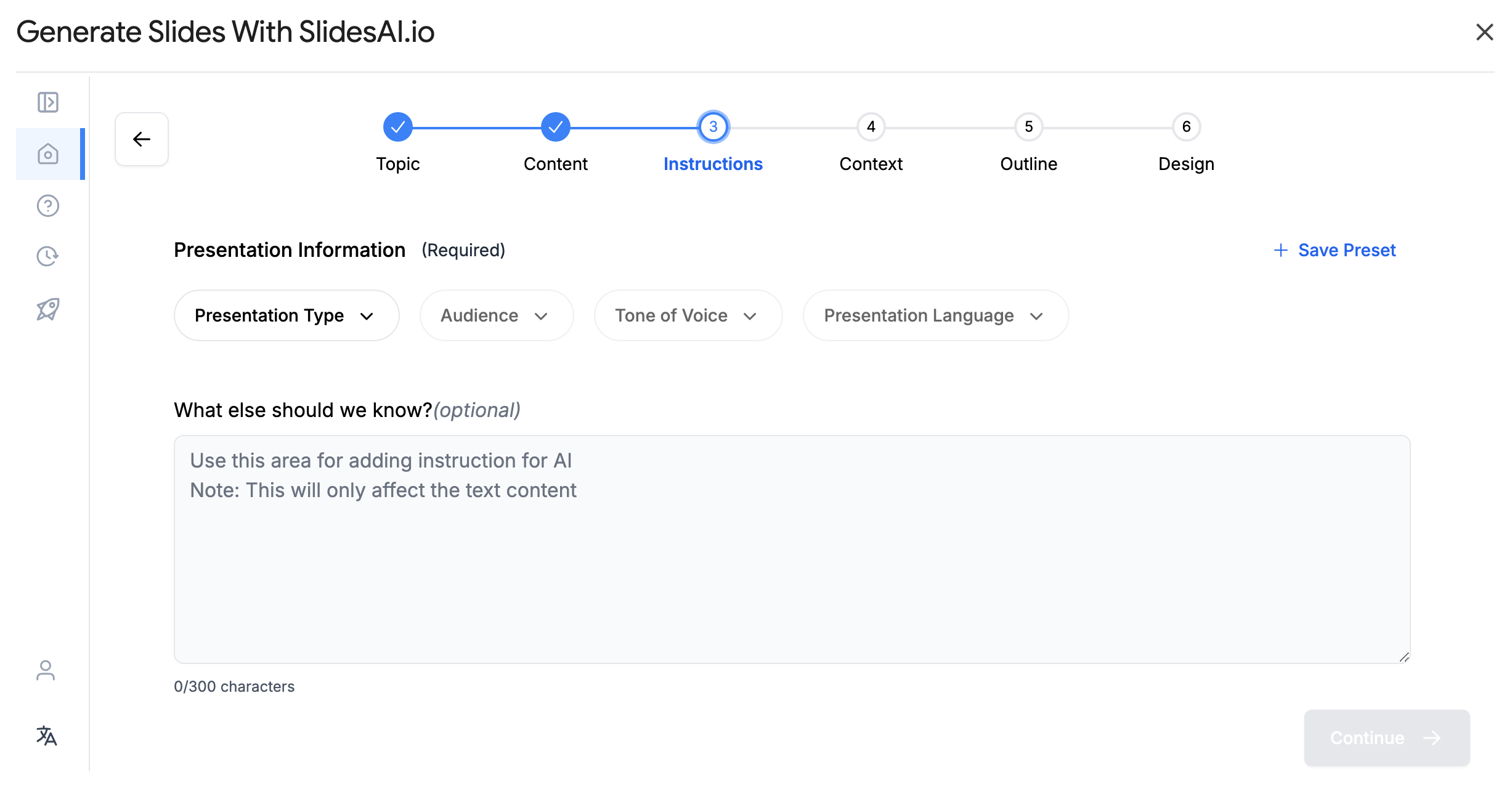
Step 4 – Select the presentation information and click Continue.
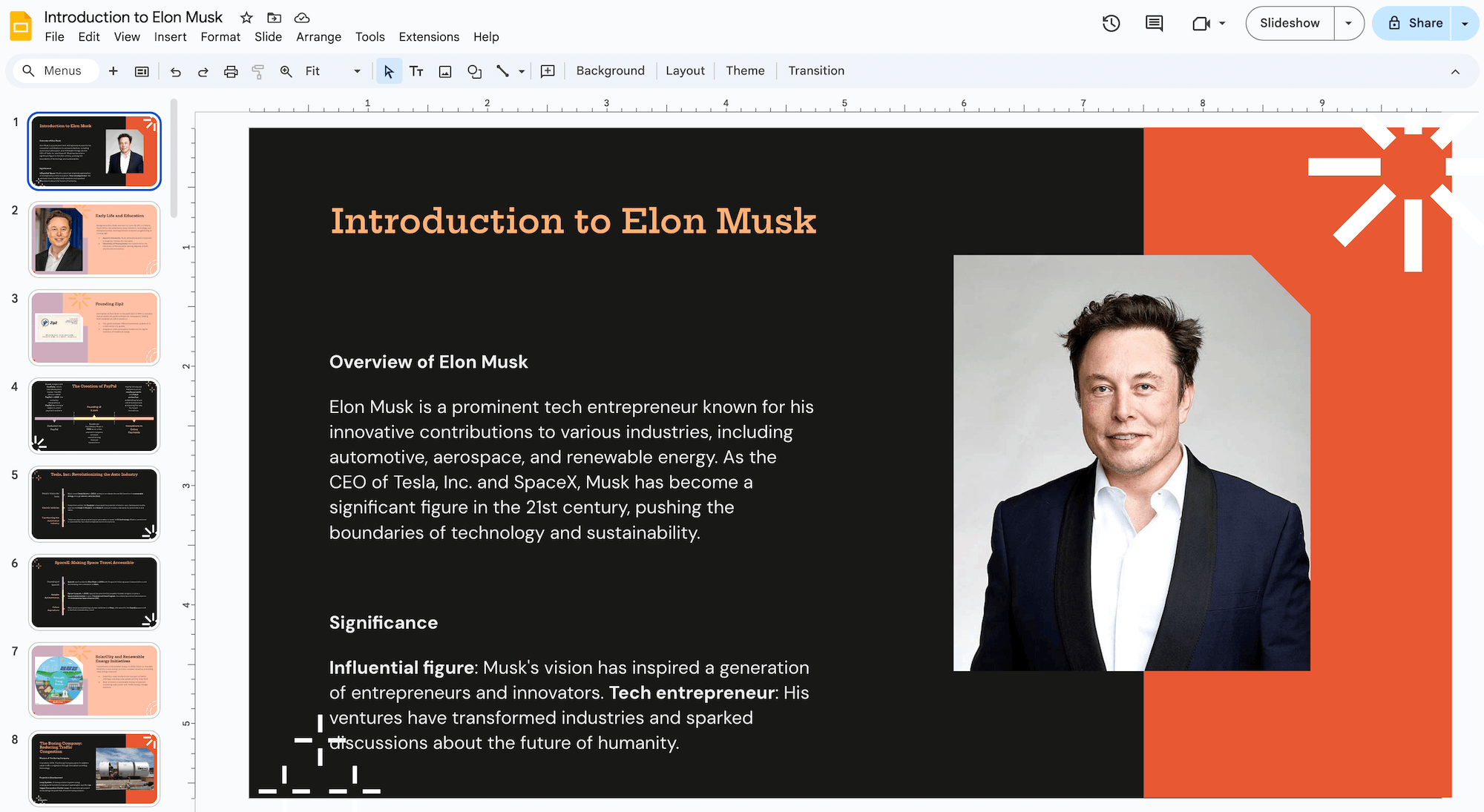
Your presentation outline will look like this.
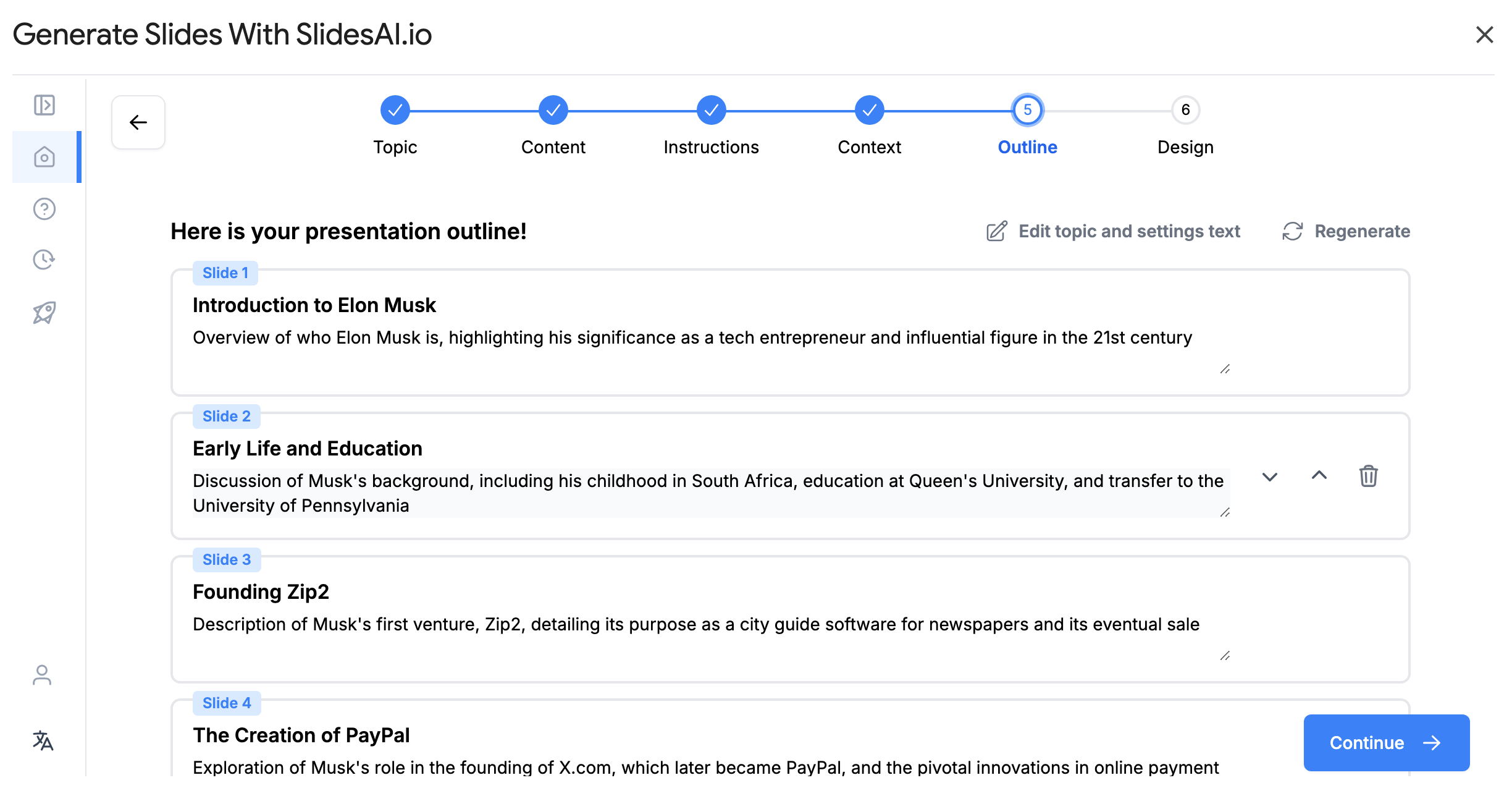
Step 3 – Check the outline, and if it looks good to you, move to the next step, i.e., choosing a theme.
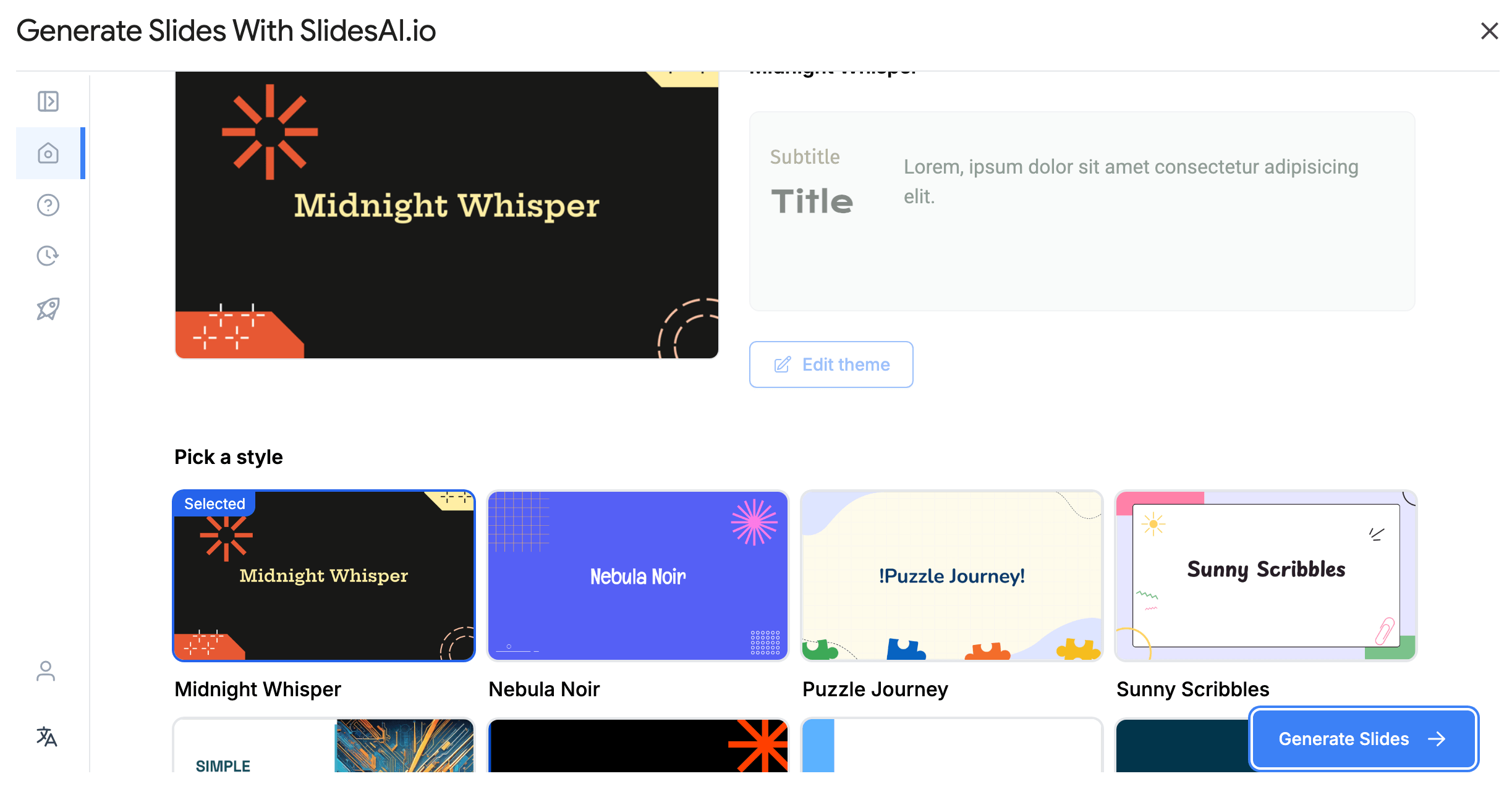
After creating the final presentation, the tool will add all slides to your current presentation in Google Slides.
Beautiful.ai and Slides AI – Pros and Cons
| Platform | Pros | Cons |
| Slide AI | Seamless integration with Google WorkspaceSupports team editing in real-timeAffordable pricingHighly customizable | No automated layout adjustmentsRequires Google Slides to functionFocuses more on text than design |
| Beautiful.ai | Focused more on design layoutsHelps maintain consistency Easy to use for non-designers | Does not integrate with other workflow platformsComparatively expensiveRestricted customization |
Beautiful.ai vs. Slides AI – A Quick Comparison
| Feature | Slide AI | Beautiful.ai | SketchBubble AI |
| User Rating | – Overall Rating – 4.2 – Ease of use – 4 – Value for money – 4.5 | – Overall Rating – 4.4 – Ease of use – 4.4 – Value for money – 4 | – Overall Rating – 4.5 – Ease of use – 4.8 – Value for money – 4.4 |
| User-friendliness | – Easy to use for content creation. – Designing can be a little tricky for non-designers. | Easy to use even for non-designers. | – Easy to use – Users get maximum impact with zero effort. |
| Features | – AI-powered content generation – Seamless Google Slides integration – Real-time team collaboration – Flexible text customization – Budget-friendly option | – AI-driven design automation – Smart slide layout adjustments – Built-in collaboration tools – Variety of stock images and icons – PowerPoint and PDF export | – AI-enhanced designs – Multilingual Support – Hassle-free customization – Seamless compatibility with various platforms – PowerPoint, Google Slides and PDF export |
| Best for | Quick content generation, educators, students | Business professionals, teams, polished designs | All professionals from different backgrounds for instant presentation creation |
| Customer Support | Email and chat support | Email and chat support | Email and chat support |
Conclusion
AI-powered presentation tools have reshaped how professionals approach slide design and storytelling. Whether your goal is to save time, elevate design quality, or refine your message, the right AI companion can make a significant difference.
Beautiful.ai stands out for its elegant design automation and visually polished results – ideal for users who value strong aesthetics with minimal manual editing. Slides AI excels in content generation, quickly turning written text into ready-to-present slides, making it a great fit for busy professionals who need speed and simplicity.
Meanwhile, SketchBubble AI brings a more balanced approach. It combines intelligent structuring, content refinement, and real-time design guidance to help users create presentations that are both clear and engaging. For teams and individuals who want to maintain narrative control while leveraging the power of AI, SketchBubble AI offers a compelling middle ground.
As AI continues to evolve, these tools will only become more capable – but the best choice depends on your unique workflow and presentation goals. If you’re looking for a smarter way to build professional presentations that stay true to your message, SketchBubble AI is well worth exploring.